1
/
of
1
store-traders-com
V16:10 (491-493): Traders' Tips
V16:10 (491-493): Traders' Tips
Regular price
$2.95 USD
Regular price
Sale price
$2.95 USD
Quantity
Couldn't load pickup availability
METASTOCK
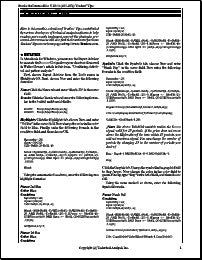
In MetaStock for Windows, you can use the Expert Advisor to recreate the SHARK-32 signals on your charts as discussed in Walter Downss article in this issue, Combining statisti-cal and pattern analysis. First, choose Expert Advisor from the Tools menu in MetaStock 6.5. Next, choose New and enter the following formulas:
Name: Click the Name tab and enter Shark-32 in the name field. Trends: Click the Trends tab and enter the following formu-las in the bullish and bearish fields.
Bullish: Mov(C,5,S)>Mov(C,20,S); Bearish: Mov(C,5,S)
Highlights: Click the Highlights tab, choose New, and enter 3rd Bar in the name field. Now change the color in the color field to Blue. Finally, enter the following formula in the condition field, and then choose OK.
In MetaStock for Windows, you can use the Expert Advisor to recreate the SHARK-32 signals on your charts as discussed in Walter Downss article in this issue, Combining statisti-cal and pattern analysis. First, choose Expert Advisor from the Tools menu in MetaStock 6.5. Next, choose New and enter the following formulas:
Name: Click the Name tab and enter Shark-32 in the name field. Trends: Click the Trends tab and enter the following formu-las in the bullish and bearish fields.
Bullish: Mov(C,5,S)>Mov(C,20,S); Bearish: Mov(C,5,S)
Highlights: Click the Highlights tab, choose New, and enter 3rd Bar in the name field. Now change the color in the color field to Blue. Finally, enter the following formula in the condition field, and then choose OK.
Share